*affiliate ad: Join a challenge or become a member for no ads experience!
Support us – Shop Amazon! –Book hotel– cruise!
Forum tips and details
Welcome to the community forum! Every time you post, you will earn points that will assign forum participation badges! See below:

Supporter members and challenge users can participate in current discussions as well as create new ones! Currently a free user? You can view preview forums as well!
How do I add an image to my forum post?
You can add an image by obtaining the image url. You can find the image url by clicking the share image link in google images or uploading your image to an image sharing website like imgur.
You can also go to photos.google.com and open any image that you wish to embed in your website. Tap the Share Icon and then click the Get Link button to generate a shareable link of that image. Select the forum you’d like to post in and click “Add topic”
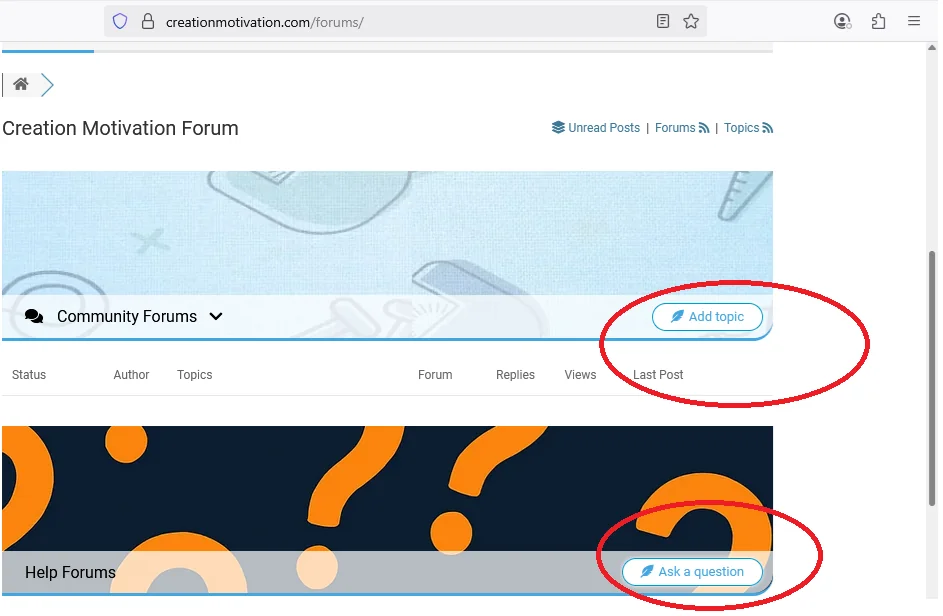
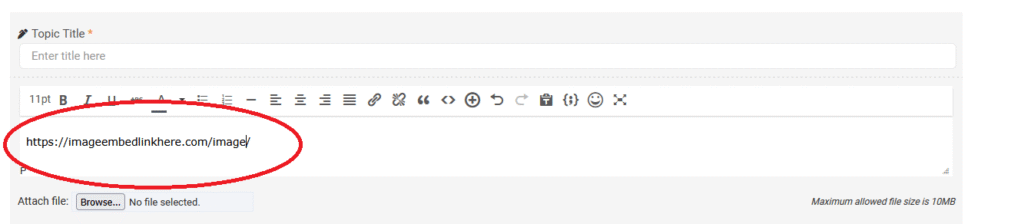
To add the image to your post, you can paste your image url directly in the post box and it should auto-embed!
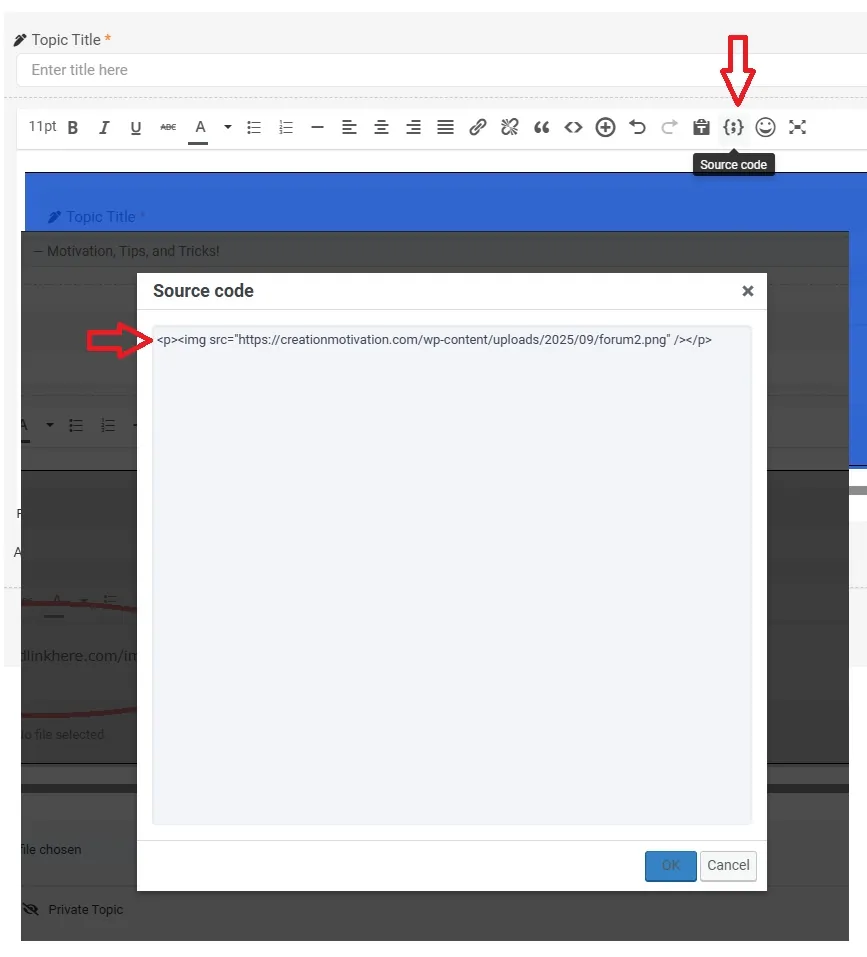
If your embedded image is too small or too big, you can click the source code button in the post (see images above and below). You can edit your image url size by pasting the image URL in this code:
<img style=”width: 800px; height: 500px;” src=”https://imageurl.png” />
you can change the width number and height number and preview it until you are satisfied with the size.
You can also add emojis, change the font color and attach images to your post. You can subscribe to the post so that any time someone responds, you’ll get an email! Once done, click “Add topic”, the post will publish and you’re done!

Last seen: Feb 3, 2026